I’ve been sitting on this one while I got TerminalWidget launched. FileRouter is out — Mac App Store and direct via Paddle (and coming soon to Setapp, give it a couple days) — and I want to tell you what it is before I bury you in feature lists.
You know Choosy or Velja? Double-click a link, pick a browser (or let a rule pick one). FileRouter is that idea for files. Double-click a Markdown note, a text file, whatever you’ve claimed, and it never opens “in FileRouter.” It lands in the editor your rules (or you) pick.
It’s Open With, except you define the cast, the order, and the plot twists.
I know I keep saying this, but all of these apps I’m releasing aren’t what’s slowing the nvUltra release. It’s through the beta and we just need to finish the payment system, which we had to restart because we completely changed the pricing model (pay once and own, pay yearly for updates). ETA October on the outside.
But back to FileRouter.
Why bother
macOS’s default app is a hammer. One app per type, forever, until you dig through Get Info again. Real life is messier: Drafts notes in one app, blog drafts in another, “just peek” in Marked, and sometimes you want both the editor and the preview.
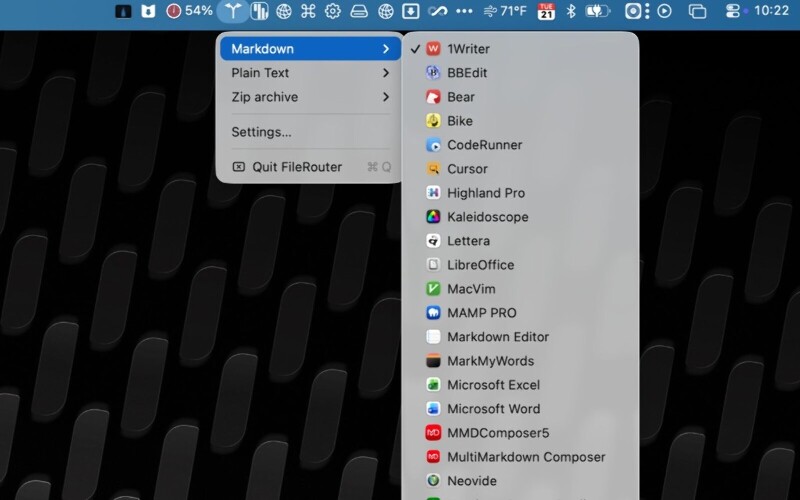
FileRouter sits in the menu bar, owns the double-click for the types you assign, and routes. You choose which apps show up, in what order, and when the boring default isn’t good enough.
FileRouter menu bar showing Markdown with an editor submenu
Rules that feel like Open With grew a brain
For each file type you can:
Prefer specific editors (one or many — open several apps at once)
Fall back to a Default Rule / Always Open list
Build When conditions on filename, extension, parent folder, and more
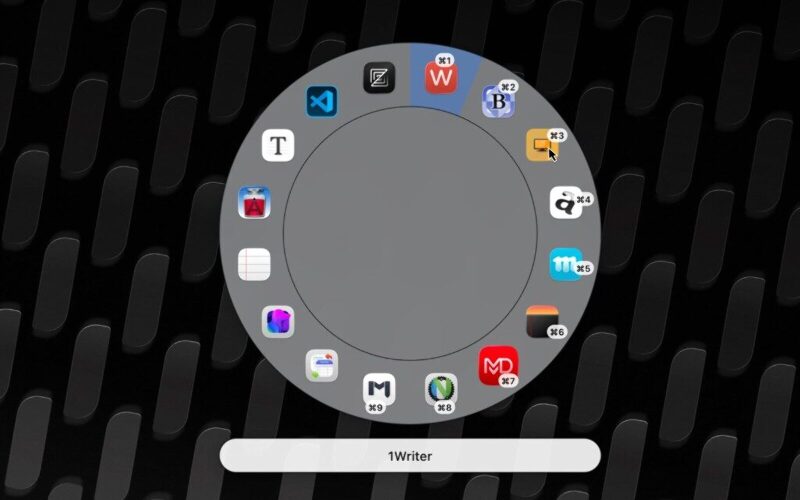
Pop a radial or list picker when you want to choose every time (or only when a rule says so)
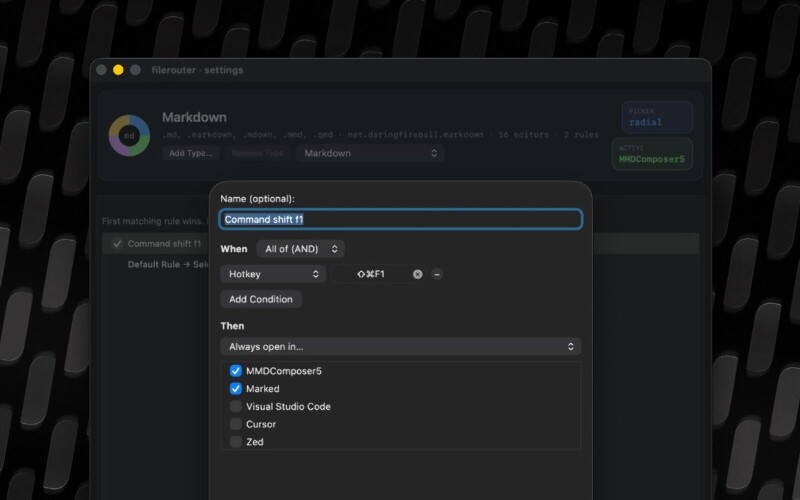
Bind hotkeys to rules so selection in Finder goes straight to the right stack
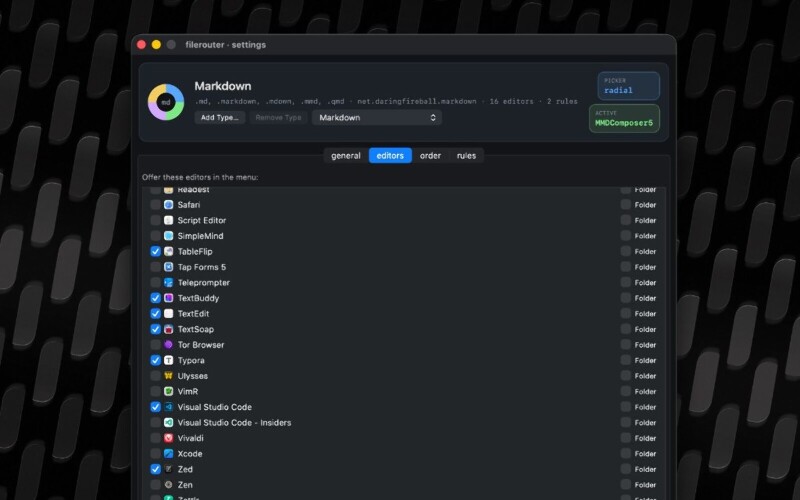
FileRouter radial menu highlighting an editor with keyboard shortcut badgesSettings editors tab for Markdown with a checklist of appsSettings rule editor with a hotkey opening Markdown in two apps
Hotkeys work in Finder, and in the Paddle version they also work in Bloom and Path Finder (Forklift isn’t scriptable, but double clicks still work there). You can assign the same hotkey in multiple file types, so that one hotkey can be used to open any kind of file, with each file type having its own handling.
Claim any type, shape the editor list
Out of the box FileRouter starts with Markdown and plain text. Drag any other file onto the menu bar item and it can take that UTI — HTML, images, whatever you live in.
By default it offers apps that register as editors. You can also pull in viewers like Marked and Preview, drop apps you never want, and add your own. Prefer Typora above VS Code above TextEdit? Drag the order. Done.
URL schemes as a first-class citizen
Some apps don’t want a file path — they want a custom URL. nvUltra is the classic example: it thinks in directories, but a URL scheme can open the selected file in its containing folder. In FileRouter you can attach a scheme to an editor so routing passes a URL instead of a plain open.
There’s also FileRouter’s own scheme, x-filerouter://open, for scripts and automations. Point it at a path, optionally force a rule by ID or name — including disabled rules, so you can keep a rule that never fires on double-click and only exists for URL triggers. URL-only rules. Nerdy. Useful.
Help covers the details; the short version is: other tools can hand files to FileRouter without pretending to be a default app.
Birthday present credit
FileRouter stands on an idea (and early code) from Ralf Hülsmann. I’ve featured his projects for years; this one landed as something of a birthday present when he gifted it to me, and I’m grateful. More of Ralf’s work lives at github.com/rhsev — URL routers for local networks, menu-bar toys, Markdown tooling. Worth a follow.
Direct builds include a short trial before you’re asked to buy
If you live in Markdown and text all day and you’re tired of one-size-fits-all defaults, give it a spin. Tell a friend who still right-clicks Open With twelve times a week — they might thank you.